Free rank tracker · Google Search Console data
A rank tracker that uses Google’s own data, for every site you own
A free rank tracker for up to 3 sites, built on Google Search Console. Instead of checking a keyword list you maintain, Search Portfolio reads the average position Google recorded for every query your sites appear for, and points out the rankings that slipped or are closest to a win.
- Free for up to 3 sites
- Read-only Google access
- No credit card
- Evidence-backed analysis
- Disconnect anytime
The estimated gain
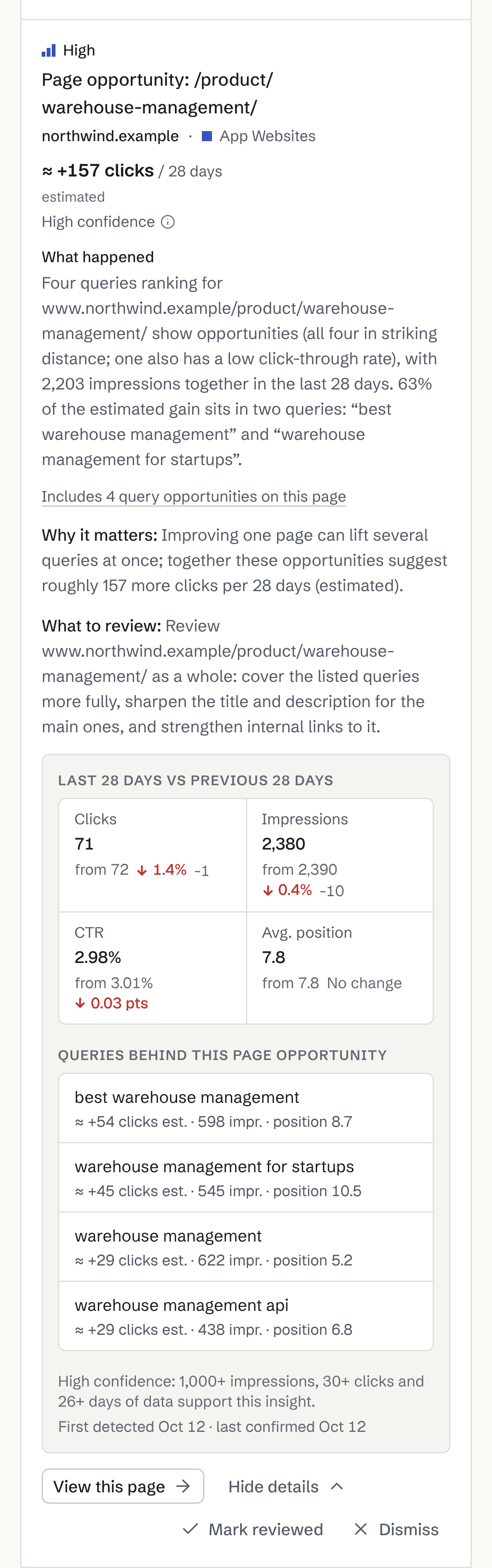
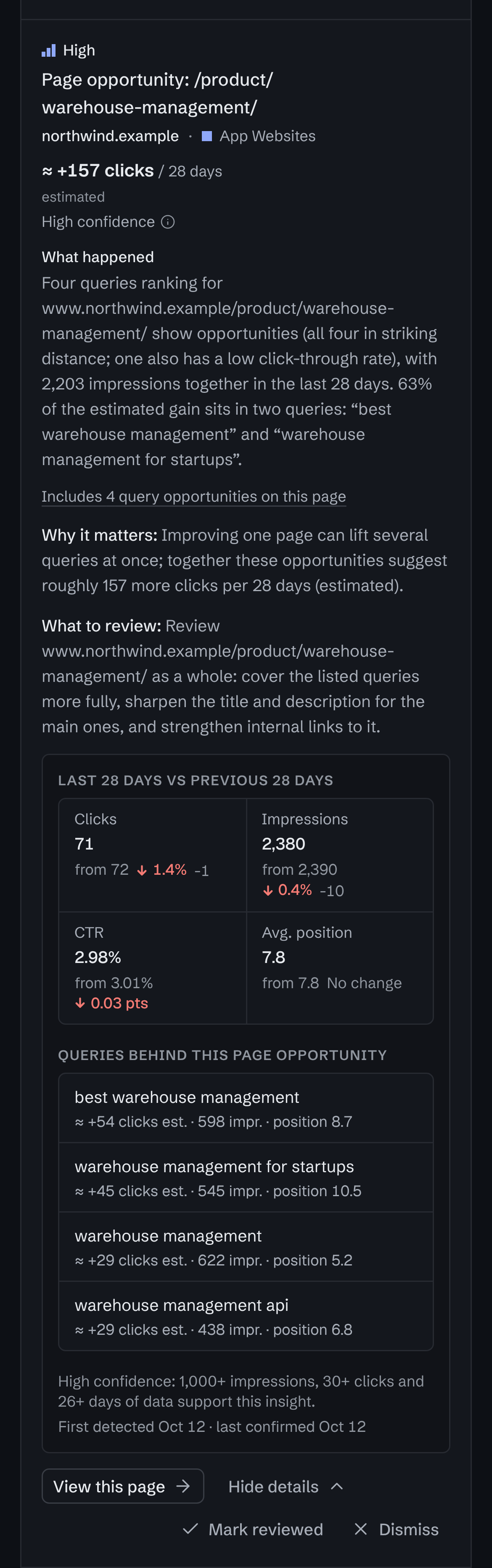
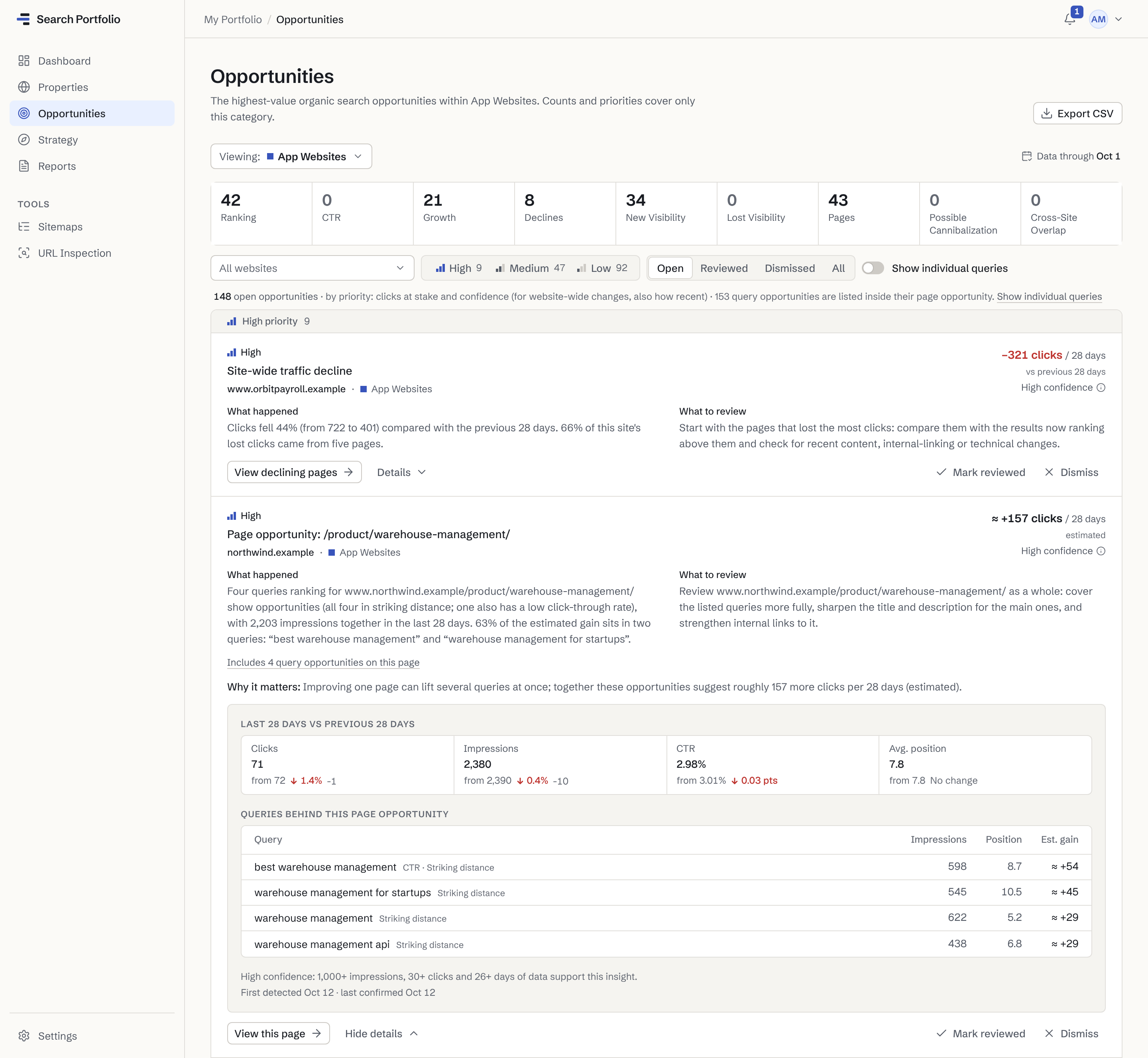
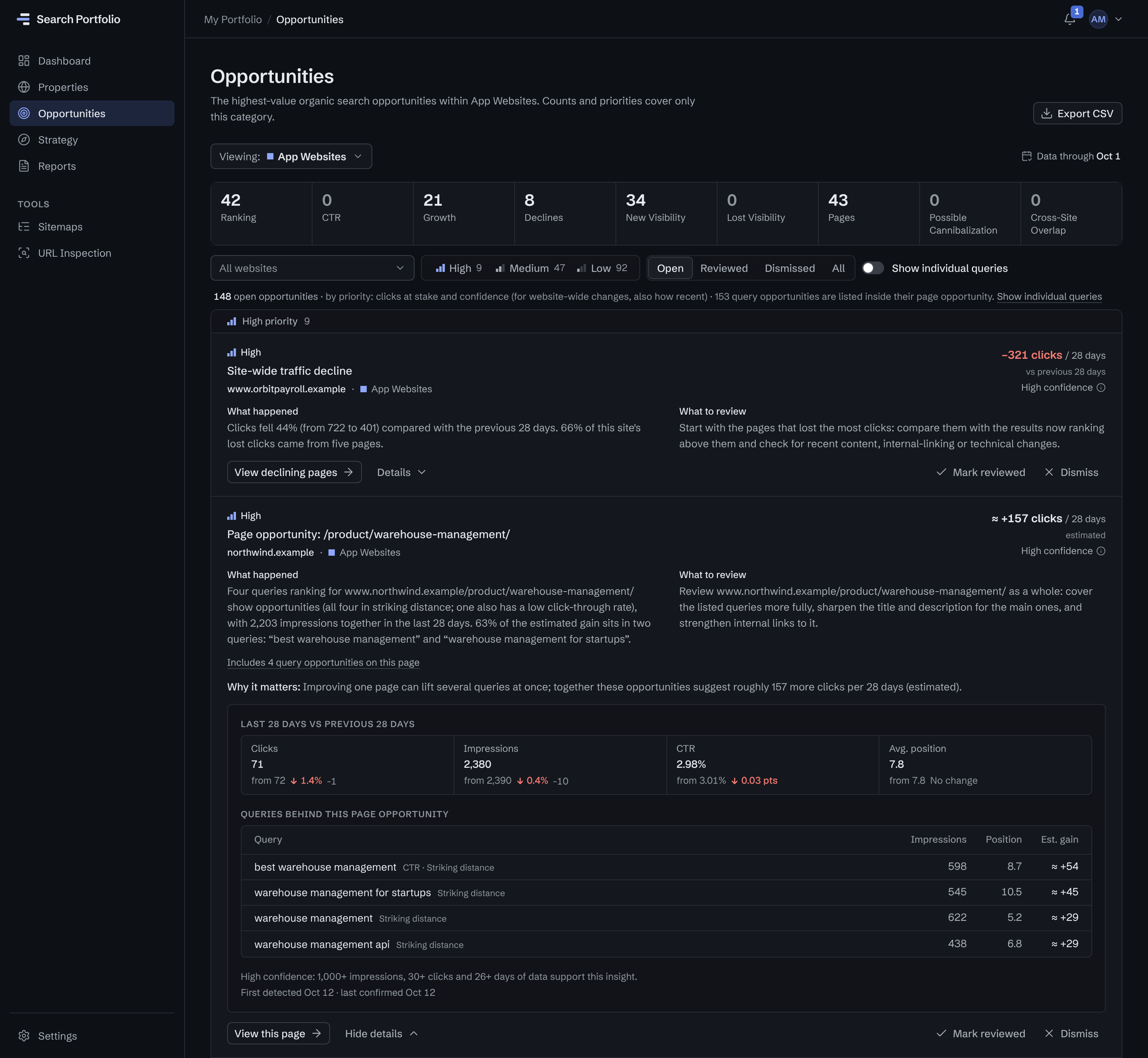
Roughly 157 more clicks per 28 days if these queries improve. It is labeled as an estimate, with its confidence level beside it.
What happened, and what to review
Four of the page’s queries rank in striking distance. The suggestion is a page to review, not a promised result.
The numbers behind it
Each query’s impressions, position and estimated gain, and why the confidence is high: 1,000+ impressions, 30+ clicks, 26+ days of data.
Keyword position tracking
Every query, with Google’s own numbers. No keyword list to maintain.
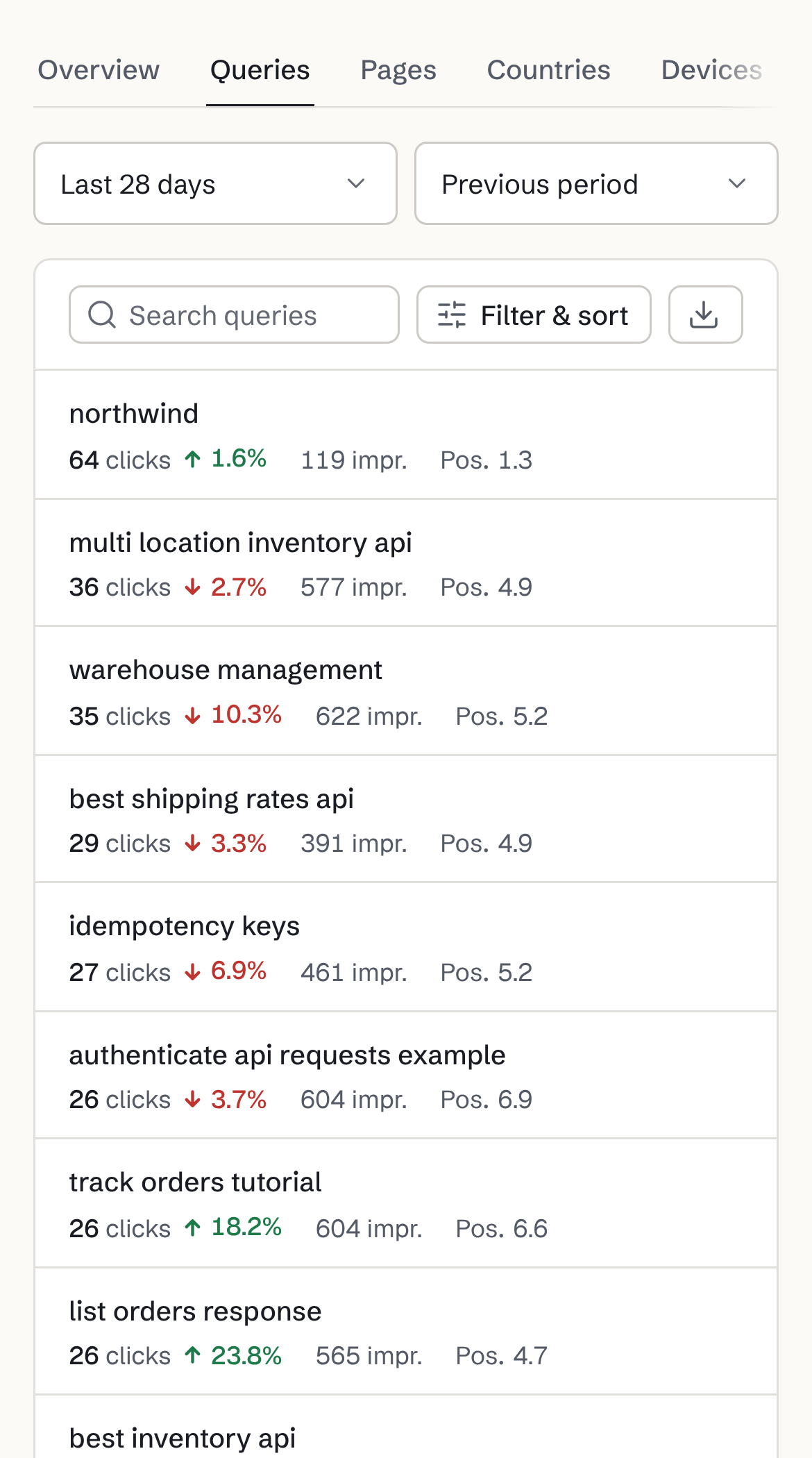
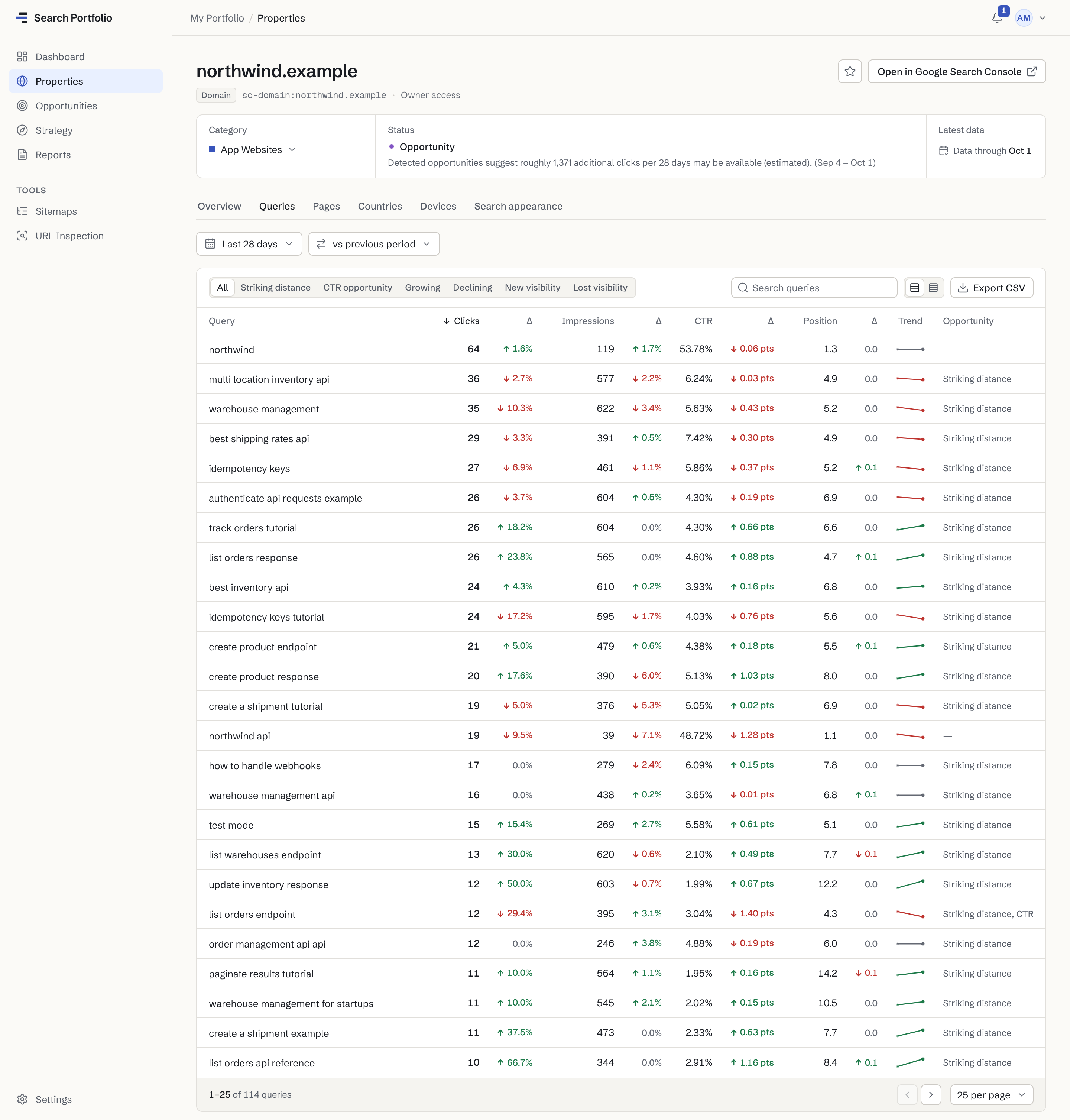
Each site’s Queries tab lists what people searched to find it, with clicks, impressions, click-through rate and average position against the period before. The Pages tab does the same for every URL, and the findings below are made across all your sites at once.
Any range, compared
Choose the last 7 or 28 days, 3, 6 or 12 months, or a custom range up to about 16 months back, against the previous period or the previous year.
Filters that find the work
Striking distance, CTR opportunity, growing, declining, new and lost visibility: one click narrows the list.
Average position, and its change
The position Google recorded for each query, with how far it moved since the comparison period.
- Where positions come from
- Google Search Console’s average position: where your site’s top result appeared, averaged over every impression in the period, across locations and devices.
- History
- Up to about 16 months back, Search Console’s own limit. Each site’s daily totals for that period are imported when you connect it.
- Freshness
- Refreshed about once a day from Google’s finalized data, which is typically 2–3 days behind. Every page shows the date its data runs through.
- What’s included
- Up to 25,000 queries per site for a date range, from Google web search. Queries Google anonymizes for privacy are not listed. Export the Queries and Pages tables to CSV, on every plan.
Compared
How it differs from a classic Google rank tracker
Most SEO rank tracking software checks a keyword list you choose by running searches itself. Search Portfolio reads what Google recorded. They answer different questions.
| Question | A classic rank tracker | Search Portfolio |
|---|---|---|
| Where positions come from | Searches it runs itself, from a location and device you choose | Google Search Console: what Google recorded for real searches |
| Which keywords | The keywords you add, priced by how many you track | Every query Search Console reports for the site, with no list to keep |
| What a position means | Where your page appeared in one check | Your average position across the period’s impressions |
| Freshness | Usually daily; weekly or on demand on some plans | About once a day, from Google’s finalized data (2–3 days behind) |
| Keywords you don’t rank for yet | Yes, once you add them | No: a query appears once the site has impressions for it |
| Competitors and SERP features | Usually included | No: Search Console covers only your own properties |
| City and device rankings | Often, per keyword, depending on the plan | Countries and devices for each site; no city-level data |
| Sites | Set up project by project, within a keyword budget | Every site you connect in one portfolio: 3 on Free, up to 200 on Agency |
| Cost, October 2026 | From about $5 a month for a small keyword list (SerpRobot); $49–$139 for the other plans listed below | Free for 3 sites; Solo ($9 a month) for 10 |
- Where positions come from
- A classic rank tracker: Its own searchesSearch Portfolio: Search Console
- Which keywords
- A classic rank tracker: Your listSearch Portfolio: Every query
- What a position means
- A classic rank tracker: One checkSearch Portfolio: An average
- Freshness
- A classic rank tracker: Daily or on demandSearch Portfolio: Daily, 2–3 days behind
- Keywords you don’t rank for yet
- A classic rank tracker: YesSearch Portfolio: No
- Competitors and SERP features
- A classic rank tracker: UsuallySearch Portfolio: No
- City and device rankings
- A classic rank tracker: OftenSearch Portfolio: Per site
- Sites
- A classic rank tracker: Per projectSearch Portfolio: All in one view
- Cost, October 2026
- A classic rank tracker: From about $5/moSearch Portfolio: Free, then $9/mo
When a classic rank tracker is better
When you need daily or on-demand checks of a fixed keyword list, rankings for a specific city or device, competitors’ positions, SERP features, or keywords you don’t rank for yet. Many teams use one alongside Search Console data.
Classic tracker prices: the plans named here, at monthly billing before tax, as listed on October 18, 2026 (yearly billing costs less at most of them): SerpRobot one SERP Bot, $4.99; Wincher Basic, $49; Mangools Basic, $49; SE Ranking Core, $129; Semrush SEO, $139. Most price by the number of keywords tracked.
What it finds
Ranking changes worth your attention, found for you.
Search Portfolio checks the queries of every site you monitor (up to 25,000 per site) against fixed rules, and lists its findings in the Opportunity Center, ranked by priority. Each finding says what happened, why it may matter and what to review, with the numbers behind it and a confidence level. How Search Portfolio decides
Free shows your top 5 opportunities; Solo ($9 a month) and up show every one.
The rules, with their exact thresholds
- Ranking losses
- A query whose average position is at least 3 places worse than in the 28 days before, after at least 100 impressions and 5 clicks there. Ranked by the clicks it appears to cost, with the page that ranks for it.
- Striking distance
- A query at an average position of 4–15 with at least 100 impressions in 28 days, worth an estimated 5+ clicks if it reached position 3. The queries closest to a win, grouped by the page that could earn them.
- Click-through gaps
- A query in the top 20 with 200+ impressions and a click-through rate under 60% of what that position usually earns, judged from the site’s own results first, and 10+ clicks to gain. Often a title or description worth reviewing.
- Breakouts
- A query whose clicks at least doubled, to 20+ clicks and at least 15 more than the 28 days before (pages: 30+ and 20 more). Growth worth building on while it lasts.
For agencies
A rank tracker for agencies, without per-client setup.
Connect each Google account once and every client’s Search Console joins one portfolio: up to 200 properties across 50 Google accounts on Agency. Track keyword rankings across multiple websites and see which client needs attention first. It is an internal tool: one login, no client portals or white-label reports.
FAQ
Rank tracking questions.
Plans and billing are on the pricing page. Something else? Contact support.
Is this a real rank tracker?
It tracks rankings, but not the way a classic rank tracker does. A classic tracker runs its own searches for a keyword list you keep and records where your page appeared, from one location at one moment. Search Portfolio reads the average position Google Search Console recorded for your site across every real impression, for up to 25,000 queries Search Console reports for each site you monitor.
It is the better source for how your sites rank for the people who actually search. A classic tracker is the better tool for on-demand checks, rankings in a specific city or on one device, competitors’ positions, or keywords you don’t rank for yet.
How often does it update?
About once a day. Search Portfolio analyzes Google’s finalized Search Console data, which is typically 2–3 days behind, and every page shows the date its data runs through, for example “Data through Oct 1”. There are no on-demand or hourly checks.
Do I need to add keywords?
No. There is no keyword list to build, maintain or pay for: every query Search Console reports for a site appears on its Queries tab, up to 25,000 for a date range, with clicks, impressions, click-through rate and average position. A query appears once the site has impressions for it, and queries Google anonymizes for privacy are not listed.
Does it track competitors?
No. Search Console reports only on properties you have access to, so Search Portfolio shows your own sites’ rankings, never a competitor’s, and no SERP features. If you need competitor positions, use a classic rank tracker alongside it.
Is it free?
Yes, for up to 3 sites from 1 Google account, with no time limit and no credit card: every query with its average position, the portfolio dashboard, categories and your top 5 opportunities.
Every opportunity, Strategy and the weekly report start at Solo ($9 a month), for up to 10 sites. See every plan compared.
See where every site ranks, from Google’s own data.
Connect Search Console with read-only access and see every query, its position and what changed, across all your sites.
- Free for up to 3 sites
- Read-only Google access
- No credit card
- Evidence-backed analysis
- Disconnect anytime